How do I switch my template to another provided by Blogger?
Switching templates in Blogger is easy... too easy:
Go to
Layout | Pick New Template:

and pick a new one:
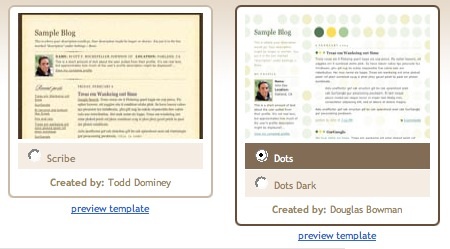
Finally, click the orange "Save Template" button.
Notes:
- Before switching to a new template, it's a good idea to back up your current one (if you've made changes to it). Go to the Layout | Edit HTML tab, and copy and paste the template code to a text file on your computer.
for better quality and more beautiful layout design you may
visit here my personal collection of blogger templates ! at
Blogger Dashboard you will find professional and premium blogger templates for free ! so be free to visit
my collection here :)
Once you've logged into Blogger you'll see your Dashboard, showing your list of blogs. Click the blue 'New Post' button to create a new post:

Next, you'll see the
Create New Post page. Start by giving your post a title (optional), then enter the post itself:

When you're done, click the "Preview" link to make sure it's ready to go:

Once you're satisfied with your post, click the "Publish" button. This will publish your new post:

Label: blogger tips
# diposting oleh Full Blogging Trick and Tips : Rabu, November 03, 2010


Posting Komentar